
Many candidates miss out on admission into tertiary institutions because they fail to upload their results to the JAMB portal. This includes O’Level results such as WAEC, NECO, NABTEB, or any other approved examination result, as well as A’Level qualifications like OND, NCE, IJMB, JUPEB, and other eligible credentials. Uploading the correct results to the JAMB portal is an important step in the admission process and helps ensure your institution can verify your qualifications.
How Upload Result on JAMB portal
You can’t upload result on JAMB portal as an individual, but you can check your results if is uploaded on JAMB portal
How to check Result on JAMB if they’re uploaded
Check your results in the JAMB portal to see if they’ve been uploaded.
Join Our JAMB Update Communities
Get fast JAMB resource, past questions & updates instantly.
 Join Telegram
 WhatsApp Channel
- Log in to the JAMB portal.
- Access JAMB Caps
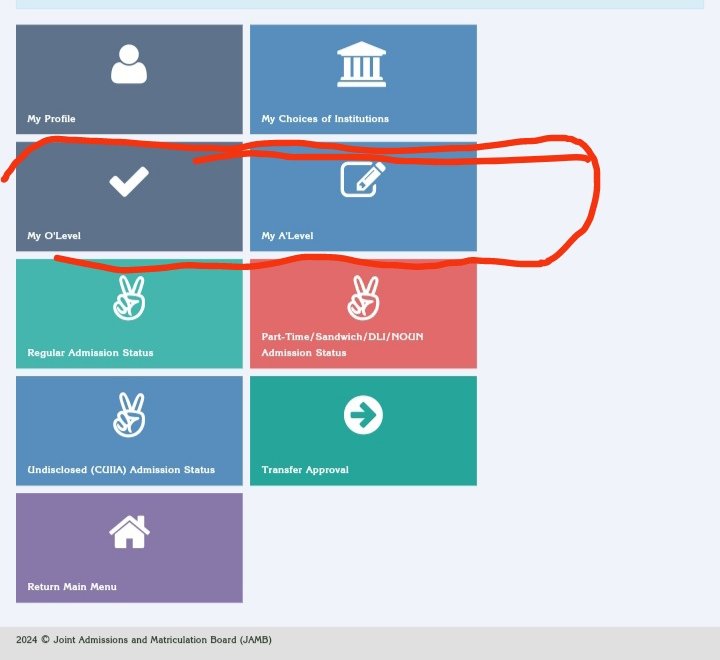
- Click on My O’Level to Check if WAEC is uploaded on JAMB portal or for DE, click on O’level to check and A’level results to check it
- If it’s uploaded, you see it like this
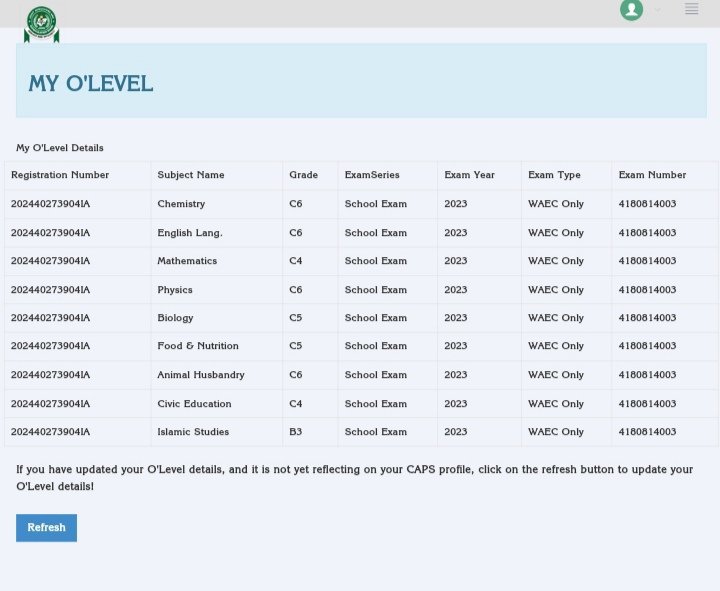
This is the same as uploading NECO results on the JAMB portal. If it’s not showing, kindly visit the nearest