
Candidates who participated in the 2026 National Examinations Council (NECO) examination can check their results online through the official NECO Result Portal once the result for their examination is released.
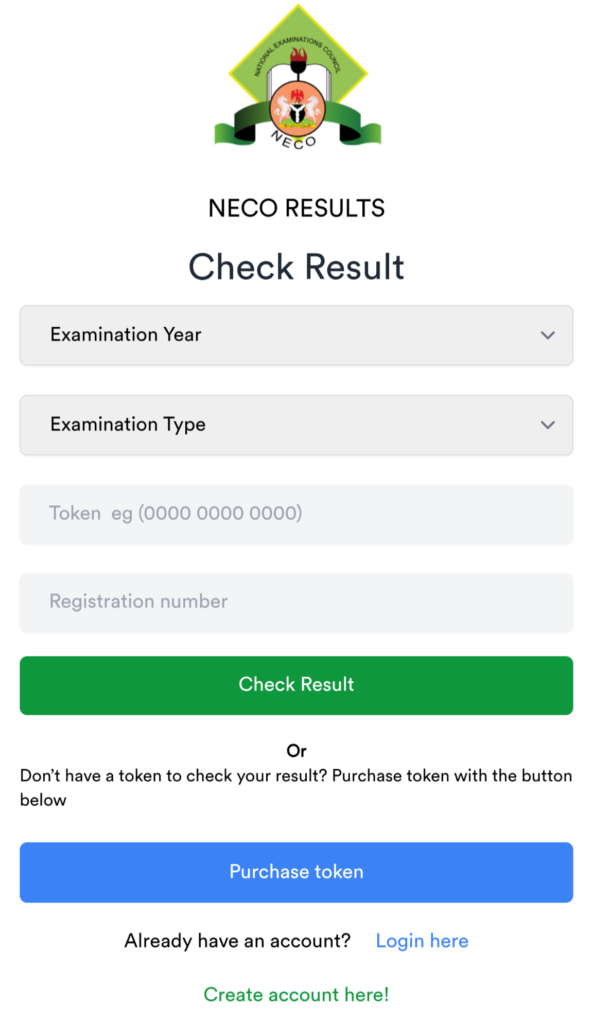
The official NECO results portal currently provides fields for the examination year, examination type, token and registration number. Candidates can then click “Check my result” to view their results.
How to Check NECO Examination Result Online
Follow these steps to check your NECO result online:
Join Our JAMB Update Communities
Get fast JAMB resource, past questions & updates instantly.
 Join Telegram
 WhatsApp Channel
- Visit the official NECO Result Portal.
- Select your examination year.
- Select your examination type.
- Enter your NECO result-checking token.
- Enter your registration number.
- Click Check my result.
- Wait for your result to appear on the screen.
- Save or print your result for future use.
Related Posts



Related Posts